Retail Media Planning
Part of Retail display and branded spaces
Choosing content for a branded retailer destination
Select useful content for a branded retailer page: range navigation, product differences and clear routes to relevant items.
Choose content by the decision a shopper needs to make after clicking. Show the advertised products, explain useful differences and make each relevant product page easy to reach. Brand imagery can establish identity, but it should not hide the range the advert promised.
Begin with the arrival promise
Check the message that brought the shopper in. A range introduction needs a clear view of that range; an advert for a specific use needs products suited to it. A named item may be better served by its product page than by a broad branded destination.
Nectar360 describes Sainsbury’s Groceries online advertising options, including Sponsored Products, banners and enhanced media. Amazon Brand Stores support a wider documented set of tiles, including text, images, video and products. Use each example within its own retailer context: the available layout, links and publishing controls depend on the destination being built.
Retailer-Specific Content Options: Sainsbury’s vs Amazon
- Sainsbury’s (via Nectar360)
- Sponsored Products, banners, enhanced media; limited layout flexibility
- Amazon Brand Stores
- Supports text, images, video, shoppable tiles; more extensive content options
Give each section a job
A compact destination can provide:
- Orientation:a clear name for the range and what it contains.
- Choice:product groups based on differences that matter to buyers.
- Explanation:a brief comparison or detail needed to choose.
- Action:obvious routes to the relevant product pages.
This is a possible structure, not a required template. A small range may need only an introduction and product tiles. Add another page or section when it answers a real choice, rather than making shoppers pass through a brand story to find the advertised items.
Amazon’s Store specification includes shoppable image tiles. Where the chosen retailer permits it, put essential information in text and check both mobile and desktop views.
Keep the page accurate
Confirm that featured products are listed and available, and that names, variants and pack sizes agree with the product pages. Give seasonal or promotional content an update owner. If an offer can change, check the live listing before leaving a fixed claim on the destination.
Follow the route from the arrival page to the exact product being promoted. Does the comparison lead to the items it describes? Are the product title, images and decision details clear when the shopper arrives? These checks matter more than adding another decorative section.
Measure the page against its task
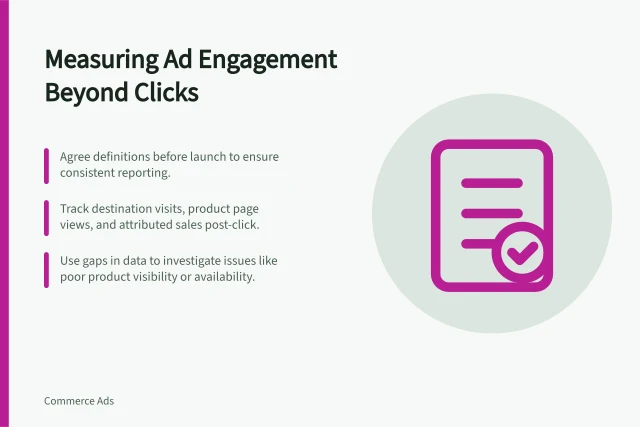
Ask for visits and onward movement to product pages where the retailer reports them. Amazon Brand Store Insights includes page visits, pages viewed and sales, but that does not establish the same fields for other retailers. More pages viewed can mean useful comparison or unnecessary effort. Judge the route against what the arriving shopper came to do.
Performance Metrics to Measure Page Effectiveness
- Page visits
- Available via Amazon Brand Store Insights
- Pages viewed
- Indicates engagement level; may reflect useful comparison or unnecessary navigation
- Sales conversion
- Tracked in Amazon Brand Store Insights; not universally available across retailers